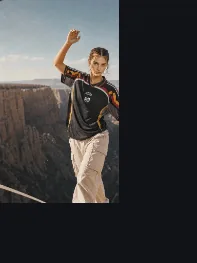
What UGC Video Ads needs
Ads, launches, product explainers, UGC, and campaign-ready videos. This workflow accepts a written brief or prompt, a product or source URL, an owned image. The text input describes the outcome, audience, and next action; any image, video, or audio must be owned or licensed. The output is video, and the default model is Seedance 2.0 Mini.
The starting prompt is: “Create a UGC Video Ads. Make the offer, audience, and next action clear without inventing product claims..” Treat it as a starting point, not as a product fact. If the result depends on a measurement, ingredient, price, guarantee, or comparison, add that fact from an approved source and review it by hand.
How the work moves through Studio
First upload or describe the source and confirm you have the right to use it. Then choose the workflow and model, set the duration, aspect ratio, resolution, or output count, and read the exact quote. The quote is calculated before submission and changes when the settings change.
Submit one short test before a batch. Review the first result at full size, not only as a thumbnail. If the result is acceptable, save the setting and reuse the same source and configuration for the next variants; that way you compare outputs rather than different setups.
What to review before delivery
Keep every claim traceable to the product page, packaging, or a substantiated internal fact. Do not let the model invent a benefit, price, guarantee, ingredient, certification, or comparison. Review the hook, the product demonstration, the call to action, and the destination platform policy before export.
Also review identity and continuity: the product, person, or object should remain the same across frames or scenes. Look for invented text, logos, accessories, warped hands, impossible reflections, color shifts, and elements that were not in the source. If the destination is a marketplace, check size, aspect ratio, duration, audio, file weight, and metadata.
Cost, model, and next step
The default quote for UGC Video Ads is 281 credits. That number is not a subscription price: it is an estimate for the default configuration and changes with duration, resolution, audio, output count, and model. The default quote uses Seedance 2.0 Mini and is shown before submission. Only models whose inputs, controls, and runtime state resolve can be selected; if the model is unavailable, Studio tells you before reserving credits.
If the result fails review, do not publish it: change one variable at a time (source, prompt, model, or setting) and test again. When you have an accepted output, download it, keep the configuration, and record the real cost. The pricing page explains how credits translate into subscriptions and packs.