
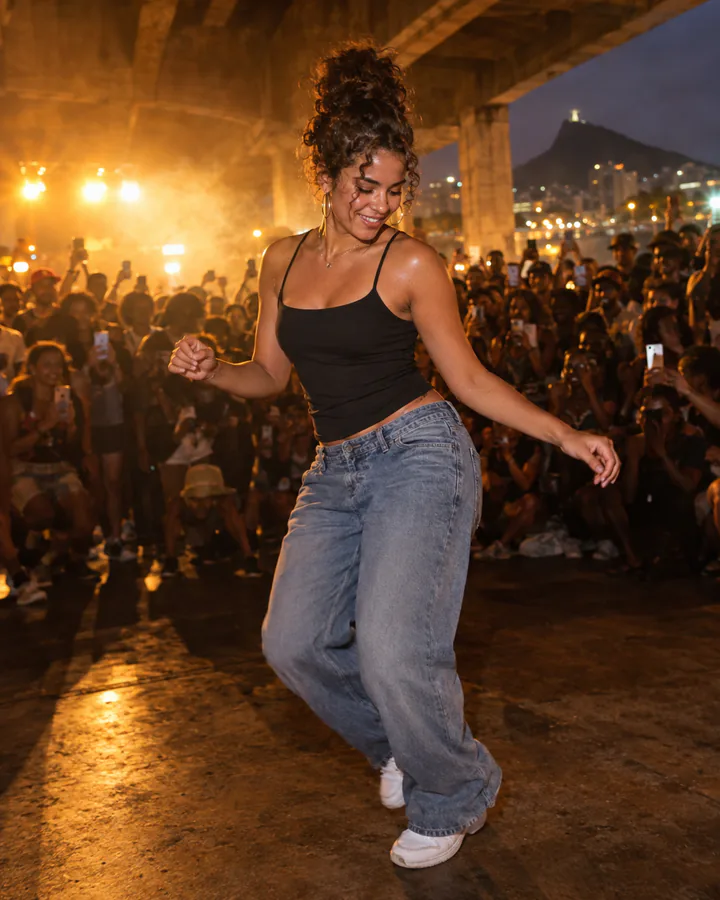
Viaduto Classic
One photoYou, in your own clothes, owning the packed baile under the viaduct.
Best source: One adult, front-facing, waist-up or full-body, clear light.
Viral trend · Baile charme · Updated October 20, 2026
Upload a clear photo, choose a charme dance direction, and generate a short vertical clip of the baile charme step in a packed Rio night crowd. yito turns the camera, crowd and motion into one prompt, and Studio shows the live credit quote before you generate.
Updated October 20, 2026
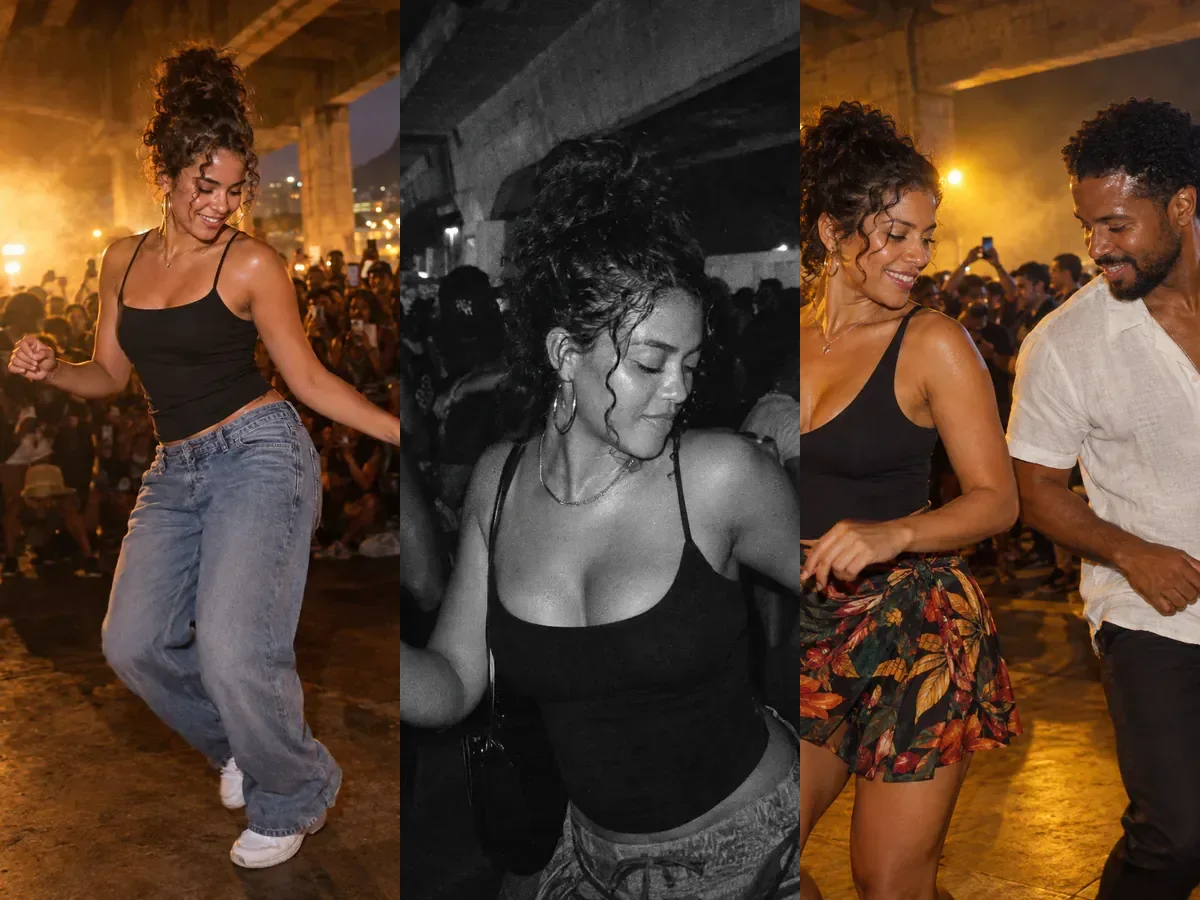
Charme dance AI is a short vertical AI video in which a person dances the charme step inside a packed night-time baile charme, usually the Viaduto de Madureira party in Rio de Janeiro. The clip is filmed like a handheld phone in the crowd: a glance back, a side-to-side groove, a friend sliding in, the signature charme step and a turn while the crowd raises their hands. The trend spread on TikTok in October 2026 through Seu Zé de Madureira, an AI-made grandpa, and then through remakes with famous faces. yito makes the clip from one photo you have the right to use; it does not ship the CapCut template or the original audio.
Capability
This page is a starting point, not a one-tap CapCut template. Here is the exact boundary so you can judge the result before you spend credits.
Upload one photo with one adult, or two adults for a duo direction. The image-to-video workflow animates that photo; you do not need to find a reference video.
Models return different clip lengths, and only some generate audio. Studio shows the duration, resolution, available audio options and binding credit quote before you submit.
Background dancers and faces are generated by the model. They are not real people and they change on every render. Review faces, hands and crowd edges before posting.
Six directions
Each card opens the same image-to-video workflow with a different prompt. The prompt is prefilled, so you only add your photo and confirm the quote.
You, in your own clothes, owning the packed baile under the viaduct.
Best source: One adult, front-facing, waist-up or full-body, clear light.
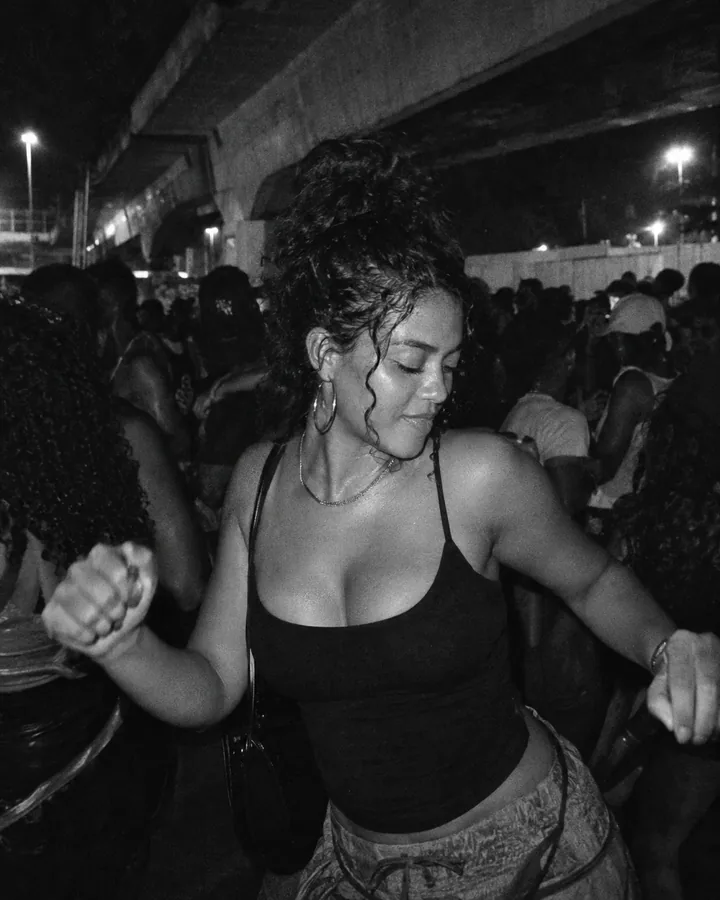
The same night, in grainy black-and-white film with hard flash falloff.
Best source: One adult with a clear silhouette and visible outfit.
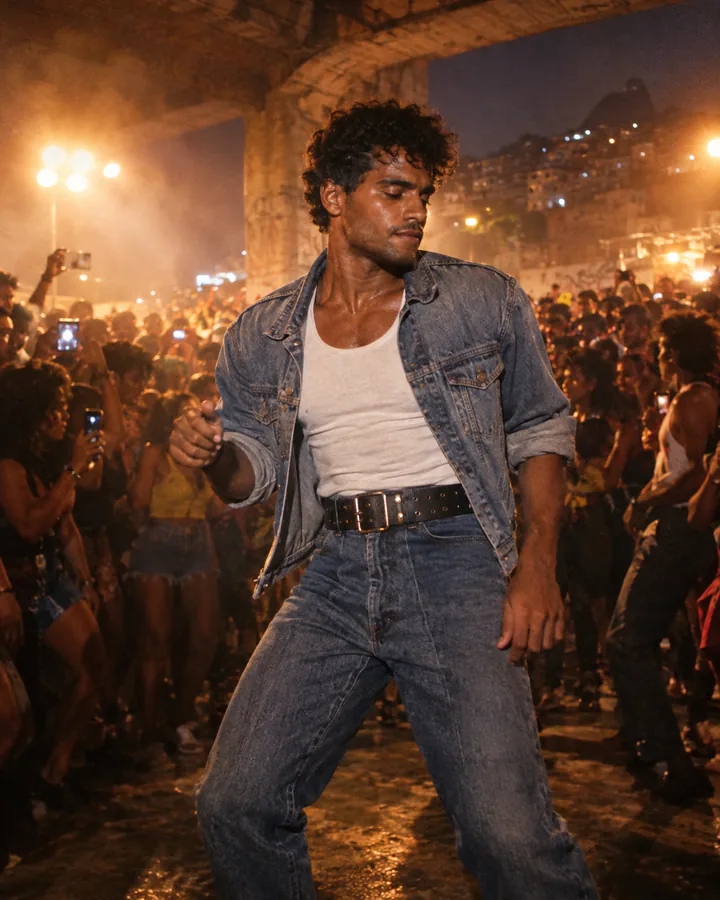
Faded denim, a white tank top and a wide belt, like the remakes that went viral.
Best source: One adult; the outfit is generated, so simple clothing works best.
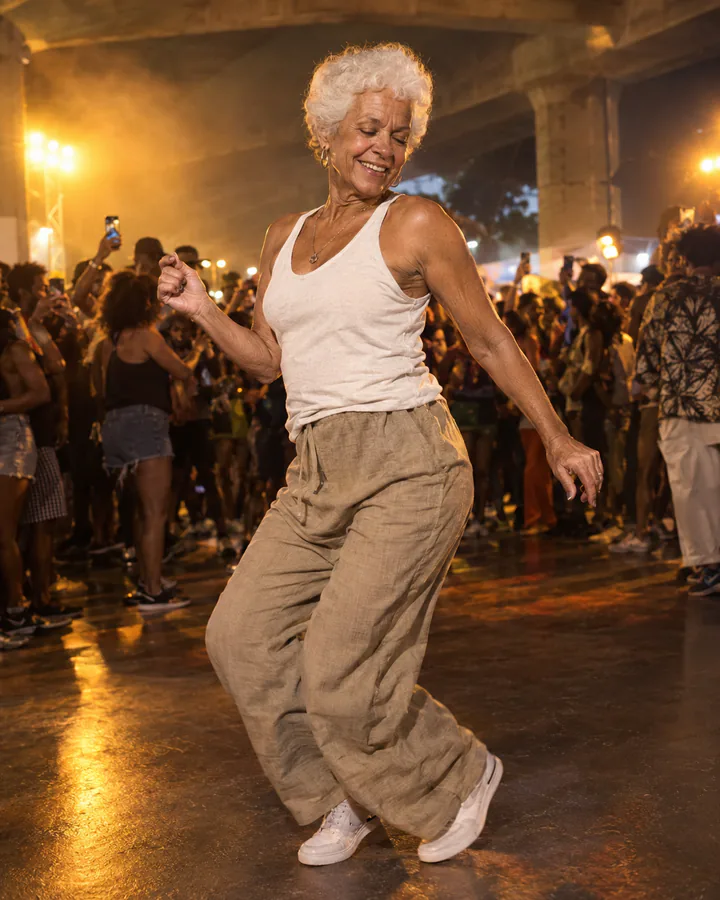
You at 75, still the best dancer at the baile.
Best source: One adult with the full face visible; age changes can drift.
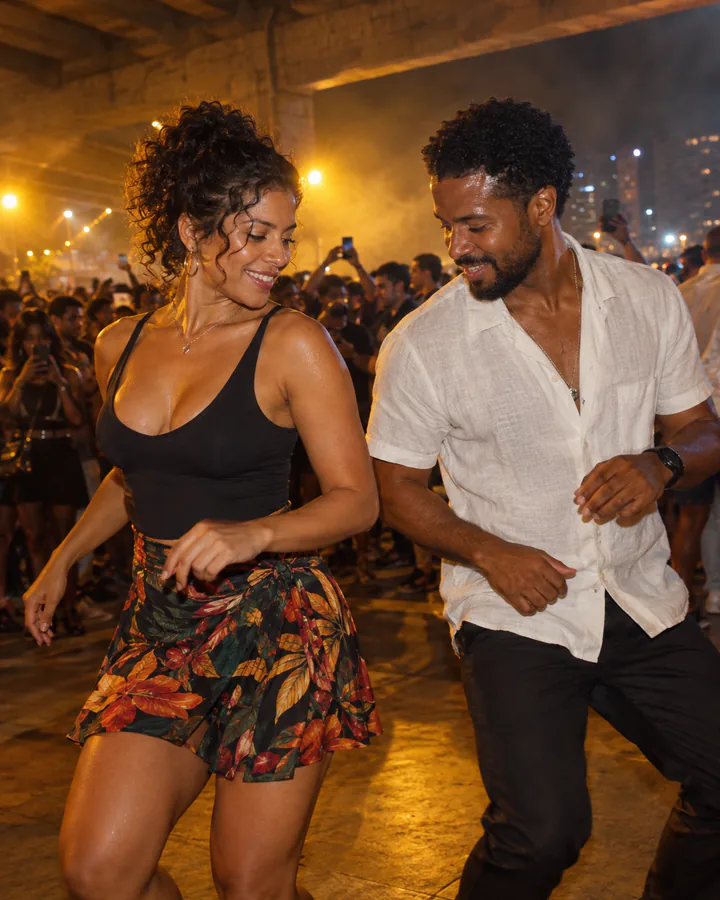
A couple in the crowd, dancing the charme step together.
Best source: Both adults already in one photo, both faces visible.
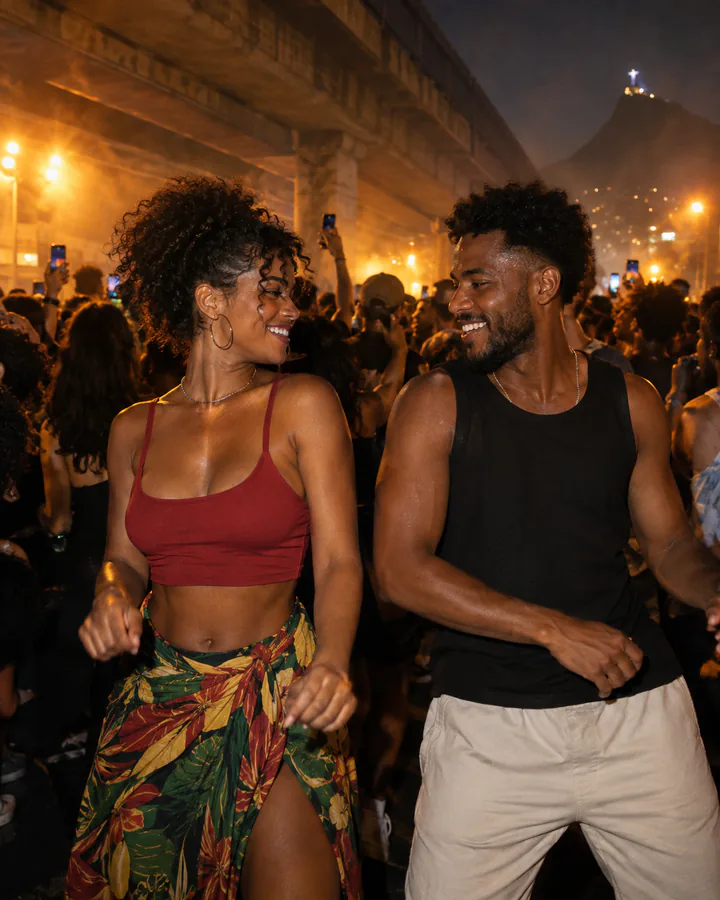
Two adults, two dancers: your friend joins you at your shoulder.
Best source: Both adults already in one photo, both faces visible.
The 12-second shape
The viral clip is built on five beats. Use this sheet to judge a render or to rewrite the prompt for a different model.
| Time | Beat | What happens | Prompt cue |
|---|---|---|---|
| 0.0–1.5s | The look back | The phone is at your shoulder in the crowd; you glance back as the beat drops. | glance back, handheld phone at shoulder height |
| 1.5–3.0s | The groove | The camera eases back to waist height; your forearms swing and your shoulders bounce. | side-to-side step, shoulders bouncing, forearms at the waist |
| 3.0–6.0s | The friend | A dancer slides in at your shoulder and you trade a look mid-step. In the duo directions, that is the second person in your photo. | friend enters at the shoulder, shared look |
| 6.0–9.0s | The charme step | You lean forward with soft knees and slide your hands past each other at waist height. | soft knees, hands sliding past each other |
| 9.0–12.0s | The turn | The camera drifts to your side, you turn back to the front and keep the step going as the crowd raises their hands. | turn to camera, crowd hands up |
The sheet describes the motion direction, not a guaranteed duration. The model you pick may return a shorter clip; Studio shows the exact duration before you submit.
How it works
Use one adult, front-facing, with the face, hair and outfit visible. For a duo direction, use a photo that already contains both adults. No sunglasses, no masks, no celebrities, all adults 18 or older.
Pick one of the six cards. The prompt is prefilled in Studio; choose a model, duration and resolution, review the audio options the model supports, then read the binding credit quote.
Check identity, hands, feet and the crowd before you post. If the face drifts, try a second render or a different model. The crowd and background faces will not match between renders.
Source photos
The model copies what it can see. A sharp, evenly lit photo is the difference between a recognizable clip and a stranger in the crowd.
This page is an independent guide. It does not ship the original CapCut template, the party audio or a guaranteed 12-second result.
Copy the recipe
Prefer another editor? Copy the base instruction and adapt the crowd, outfit and camera. The six cards above are variations of this prompt.
Animate the uploaded photo into a 9:16 vertical handheld-phone video at a packed night-time baile charme under the Viaduto de Madureira in Rio de Janeiro. Preserve the main person’s face, facial proportions, skin tone, hair, body proportions and clothing. The person dances the charme step: side-to-side steps with soft knees, shoulders bouncing on the beat, forearms swinging in front of the hips, a glance back at the camera, then a turn to the front while the crowd raises their hands. Warm floodlights, haze, a dense crowd of dancers filming with phones, slight handheld shake, shallow depth of field, realistic skin texture. Keep exactly one main person. No text, no logos, no watermark, no extra limbs, no distorted hands.
yito uses credits. The exact cost depends on the model, duration and resolution you choose. Open a direction, review the live quote in Studio, and only then generate. Credit packs and plans are on the pricing page.
See credit pricingIt is a short vertical AI video of a person dancing the charme step inside a packed night-time baile charme, usually the Viaduto de Madureira party in Rio de Janeiro. The clip looks like a handheld phone recording from the crowd and spread on TikTok in October 2026.
Yes, if the photo shows one adult clearly, or two adults for a duo direction. yito animates the photo with an image-to-video model; you do not need a reference video.
No. yito does not ship the CapCut template or the original audio. The six directions are prompt recipes for yito’s own image-to-video workflow.
It depends on the model and settings. Studio shows the duration and whether audio generation is available before you submit. The trend’s 12-second shape is a direction, not a guarantee.
Yes, with the Casal no Charme and With Your Friend directions. Both adults must already be in the source photo; yito accepts one reference image per generation.
No. Use only photos of yourself or people who have given permission. Celebrities, public figures and anyone under 18 are not allowed.
Fast crowd motion and a busy background make identity drift more likely. Use a sharp, front-facing photo, review the render, and try a second render or a different model if the face changes.
The quote depends on the model, duration and resolution. Studio shows the binding credit quote before you submit; the pricing page explains credit packs and plans.
New generations are private by default in yito. Review the privacy policy for retention, deletion and support access details.
Yes, if you have the rights to the source photo and the result. Check the music rights separately; yito does not include the original party audio.
No. yito is an independent AI creative workspace and is not affiliated with, endorsed by or sponsored by the Baile Charme de Madureira, the Viaduto de Madureira, CapCut, TikTok, Seu Zé de Madureira or any artist.
yito is an independent AI creative workspace. This page is an editorial guide to a trend, not an official partner page. Names are used only to describe the trend. Preview images are AI-generated illustrations, not customer results.