
Practical guide
TikTok Shop Product Video Safe Zones and Crops
Plan an AI product video for TikTok Shop by choosing the placement, protecting the product inside safe zones, and reviewing the delivered crop.
- Primary placement
- Vertical 9:16 feed
- Critical area
- Product inside the central safe zone
- Review point
- Delivered file, not the preview
- Evidence
- Retained beverage video comparison
Direct answer
Choose the TikTok placement before generation, keep the product and any claim inside the central safe area, and review the delivered file at the final aspect ratio. A clip that looks correct in a landscape preview can lose the product, label, or call to action when TikTok applies its interface and crop.
Verified production outputs
Generation cases retain the input, settings, and historical cost; local audits retain the inspected file and every observed check.
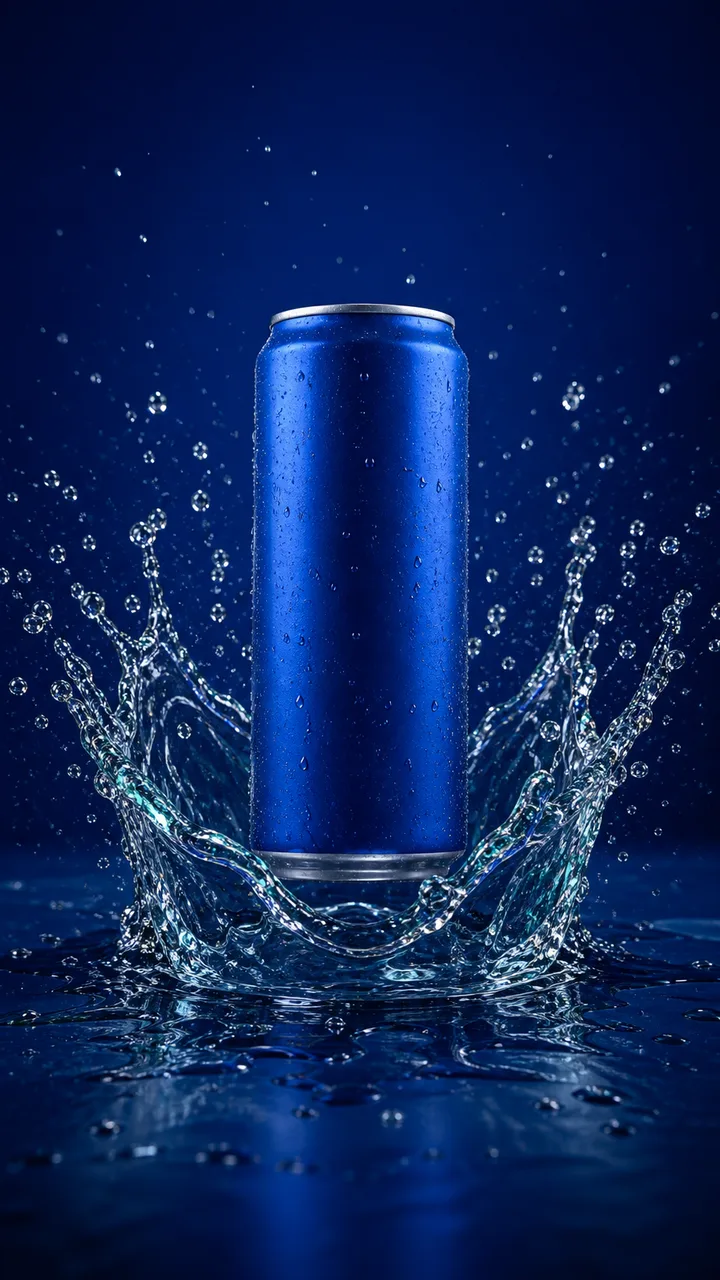 Input
InputBlue beverage can water reveal
Model: Seedance 2.0 Mini via Kie
Four one-second checkpoints retain one blue can, its silver rim, cylindrical geometry, central placement, cold highlights, and water setting. No text, logo, label, fruit, hand, or extra can appears.
The landscape crop removes splash detail from the portrait source, water geometry changes between frames, and the unbranded source does not test preservation of small packaging text.
- Aspect ratio
- 16:9
- Resolution
- 720p
- Duration
- 4 seconds
- Audio
- Off
- Historical Credits
- 75
Observed failures
- The 16:9 crop removes some water detail above and below the can from the original portrait composition.
- Individual droplets and the water surface change between frames, limiting compositing continuity.
- A branded package needs a separate label and logo review because this source intentionally contains neither.
Open the full guide, FAQs, and sourcesUse the detailed method when you need it without extending the tool by default.
1. Choose the placement before generation
Decide whether the clip is a vertical feed video, a square feed support, or a landscape product-page asset. Generate the aspect ratio closest to the final placement; cropping a landscape result into a vertical feed often removes the product or the negative space reserved for text. TikTok Shop creative usually needs a vertical canvas, but the exact specification depends on the ad format and market. Record the requested ratio, duration, resolution, and audio state before submission so the review compares the delivery with a written intent.
2. Reserve interface-safe space
TikTok places captions, profile details, commerce controls, and calls to action over the video. Keep the product and any essential label inside the central area and leave the lower and right edges comparatively quiet. Do not put the only product view under a button or caption block. When a generated clip has a moving camera, check multiple timestamps rather than one frame, because the product can drift into an overlay late in the clip. If the creative needs on-screen copy, add it after generation in an editor where you can see the final interface.
3. Direct motion that survives cropping
Ask for restrained motion that keeps the product recognizable: a slow orbit, a small push-in, a controlled light change, or a single reveal. Avoid fast pans, edge-dependent entrances, and camera moves that require seeing the full set. A generous margin around the product gives the editor room to reframe without losing the label. If the source is a tall product on a narrow set, a vertical clip may work better than a landscape clip with a large empty background. Test one representative clip before producing a batch.
4. Keep product truth and claims intact
The clip is a visual layer, not proof of performance, ingredients, durability, size, or included accessories. Check that the product count, shape, color, label, and visible parts match the approved source. Reject frames that bend straight edges, merge the product with its shadow, repeat a part, or invent text. If the ad will include a claim, verify it against the product record and the destination market rules before adding it. Synthetic particles, liquid, smoke, or reflections should not be presented as evidence of how the product works.
5. Inspect the delivered file, not the preview
Open the downloaded file and check width, height, duration, codec, audio track, and the first and last frames. A provider preview can hide a crop, a frame-rate change, or a missing audio state. Compare the delivered ratio with the requested ratio and inspect the product at the final size on a phone. If the file is square or landscape when the placement needs vertical, decide whether a deliberate reframe preserves the product before spending time on copy. Settings describe intent; the file is the production fact.
6. Hand off to the ad review
Place the accepted clip in the final canvas without stretching, choose a product-readable poster, and keep a safe margin around the product. Add approved copy, captions, audio, disclosure, and the destination product only after the product identity passes review. Record the source, settings, credit estimate, delivered file, and rejection reasons together so a reviewer can reproduce the decision. Track the path from the guide to the Studio action, generation start, successful artifact, checkout, and payment. A clip that cannot be traced to an approved source is not ready for a paid campaign.
Explore next
Official sources
- Create Video Shopping Ads
Official workflow for connecting a shop, selecting products and videos, and submitting a shoppable ad.
TikTok Business Help Center · verified
- Product media types
Official image and video formats, dimensions, file limits, theme support, and product-media behavior.
Shopify Help Center · verified
- Product image requirements
Official requirements for image quality, framing, overlays, formats, size limits, and product accuracy.
Google Merchant Center · verified
What to keep in mind
TikTok interface, ad formats, and safe-zone guidance change; verify the current specification in TikTok official help center before publishing.