How it works
Upload one photo. The model performs the requested edit and leaves everything else alone.
AI photo skill
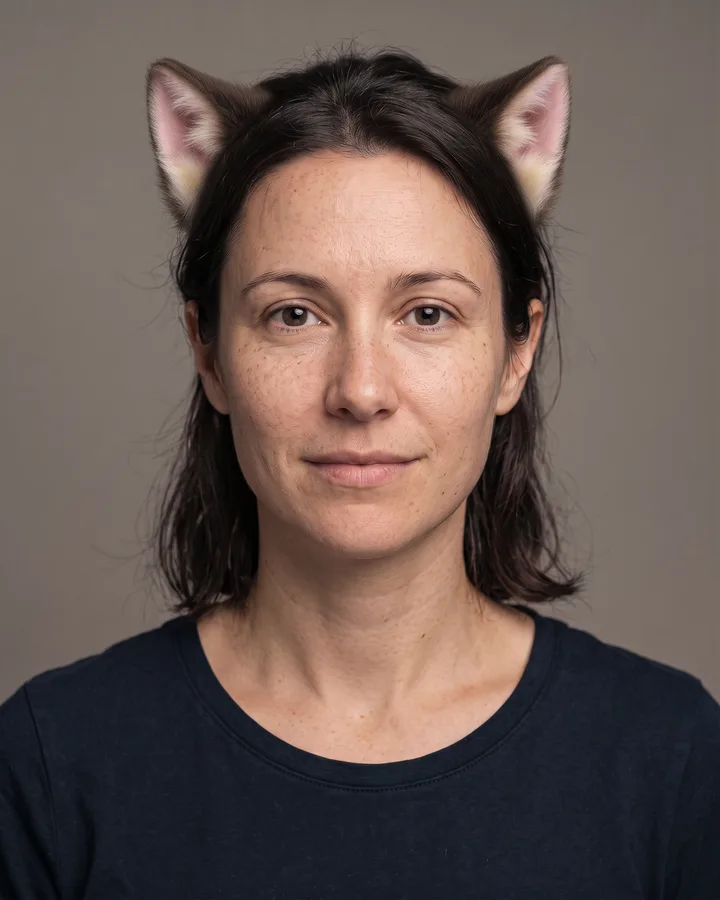
Cat ears are a simple effect that is easy to get wrong: too large, floating above the head, or made of flat clip-art.
Upload a front-facing photo where the top of your head is visible.
The model adds fur-textured cat ears that match your hair color.
Check the placement and blend, then save the result.
Cat ears are a simple effect that is easy to get wrong: too large, floating above the head, or made of flat clip-art. This skill places a pair of soft, fur-textured ears above the temples, matches them to your hair color and blends the base into your hairline.
Nothing else changes. Your face, expression, hairstyle, lighting and background stay exactly as they were, so the result looks like a photo of you with cat ears rather than a costume edit.
Upload one photo. The model performs the requested edit and leaves everything else alone.
A sharp, front-facing photo with even light. One person or one pet, no collage.
Confirm the identity is unchanged, the edit matches the request and no extra people or text appear.
Use your own photo, or a photo of an adult who has agreed. Do not upload photos of public figures or people who have not consented.
Yes. The ears are rendered with fur that follows your visible hair color and texture, so they read as part of the same head.
No. The filter adds only the ears. Your own clothes and background are preserved.
No. This is an ears-only effect. Tails, paws and full costumes are not part of this skill.
A hat or headphones cover the area where the ears attach and make the result unreliable. Remove them for the preview.
Three more reviewed skills that work well next to this one.
The credit quote is shown before you generate, and the edit keeps everything outside the request untouched.